

Mobile access to tempering analysis data for chocolate production professionals
The Tempermeter Android application provides convenient mobile access to tempering measurement data from the TM-10 device.
Designed for professionals in chocolate production, the application allows technologists and quality control specialists to view temperature curves, access measurement archives, and share tempering analysis results directly from a mobile device.
This mobile solution helps streamline quality control procedures and improves accessibility of tempering data within production teams.
Key Benefits for Chocolate Production
- faster quality control
- mobile monitoring
- easy data sharing
- improved production workflow
Application Features
- transfer measurement data via WiFi
- view temperature curves
- export graphs
- mobile visualization of tempering curves
Downloads
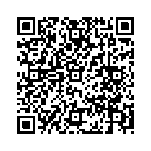
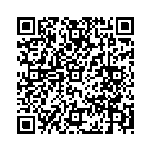
Installation instructions
Download the application file for your Android version using the link above.
After downloading, locate the TemperTM10(b).apk file in the Downloads folder of your mobile device and run it to start the installation.
If your device displays a warning that the application is from an unknown source or requests permission to access Wi-Fi and the Internet, please confirm these permissions to continue the installation.
Once the installation is complete, the Tempermeter TM10(B) application will appear on your device and a shortcut will be added to the home screen.
This application will allow you to conveniently access and manage measurement data from your Tempermeter TM-10 device using your mobile device.